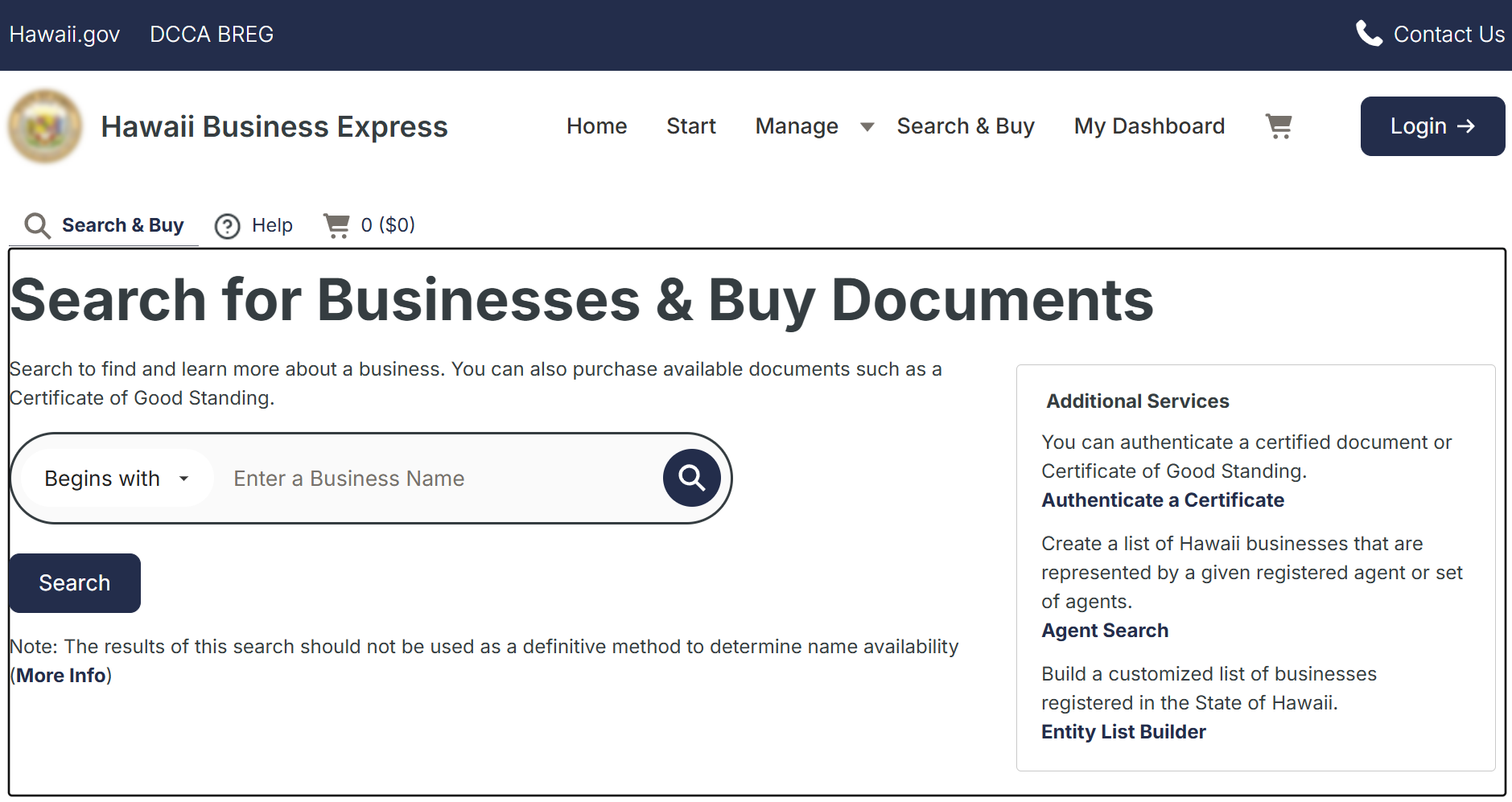
Search Hawaii business entities by entering a company name in the Business Express portal and viewing the results. If a notice appears stating that no matches were found, the name entered is most likely available (pending final approval by the Business Registration Division).
Business Entity Search

By searching, you agree to our Terms of Use and Privacy Policy.
Business Entity Search
1. Go to the Hawaii Business Express Page
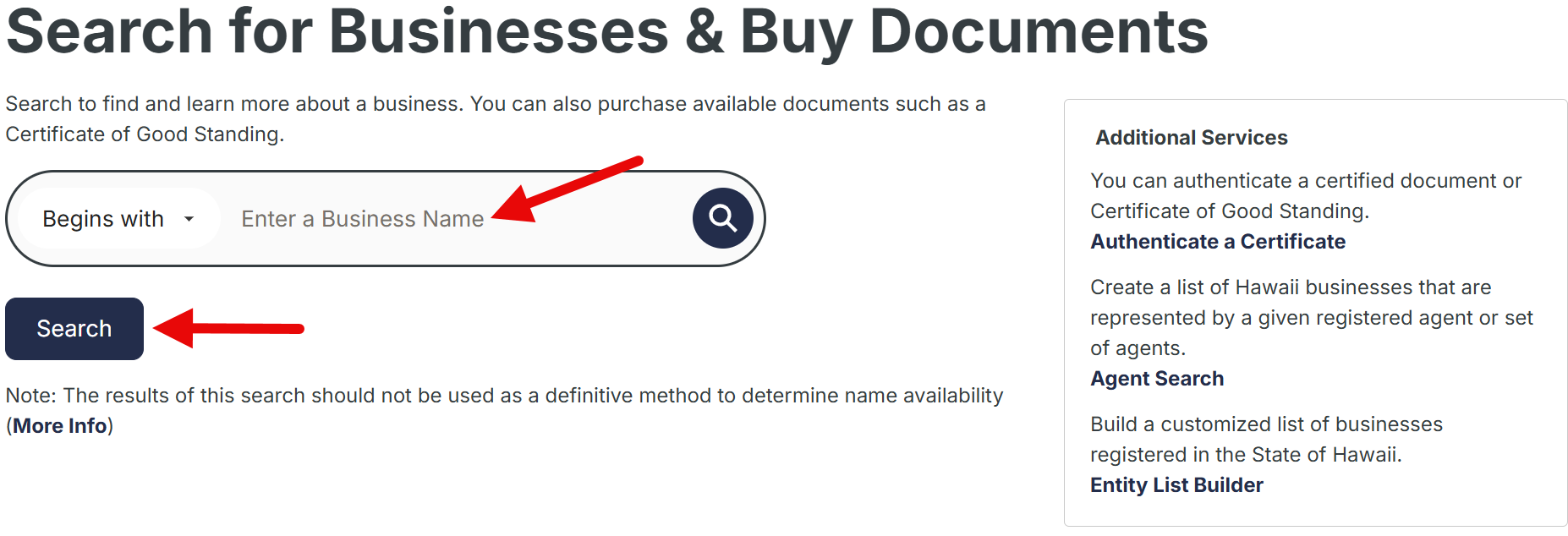
2. Conduct a Name Search
Enter the business name in the blank search field. By default, the search will find entity names that begin with the entered text. To find entities whose names include any of the words entered, select Contains from the drop-down menu (see image).
Press the Search button to view the results.
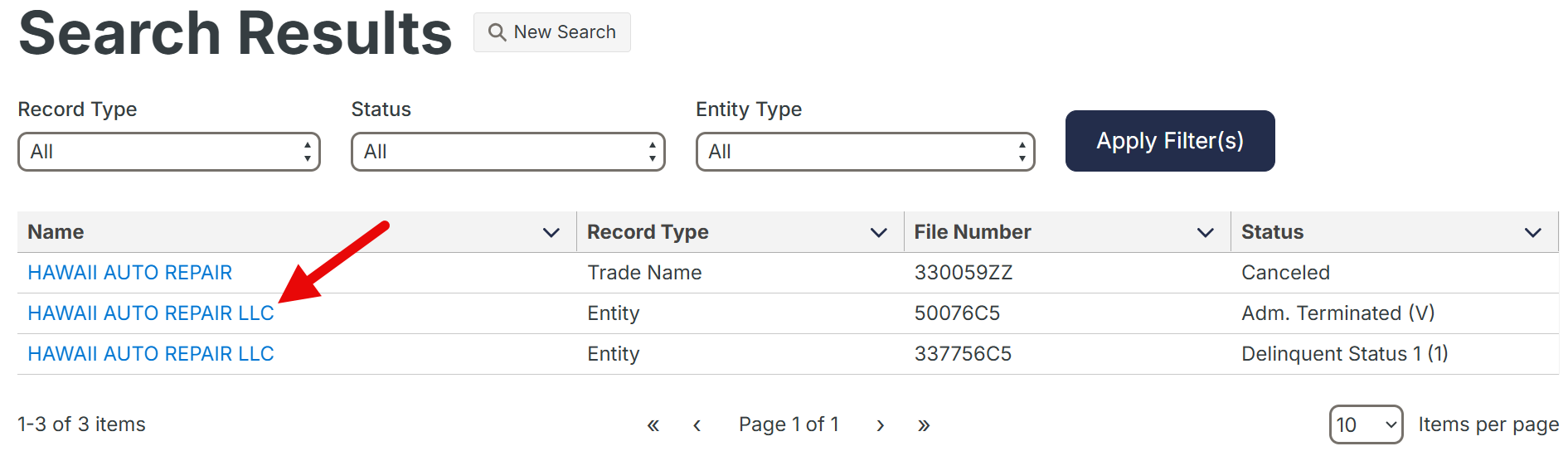
3. Check the Search Results
The results page will display the name, record type, file number, and current status of each matching entity. To refine the list, use the Record Type, Status, and Entity Type drop-down menus as needed, then press the Apply Filter(s) button (see image).
Select a business name in the left column to open a detailed company report with options for viewing documents or submitting filings for the entity.
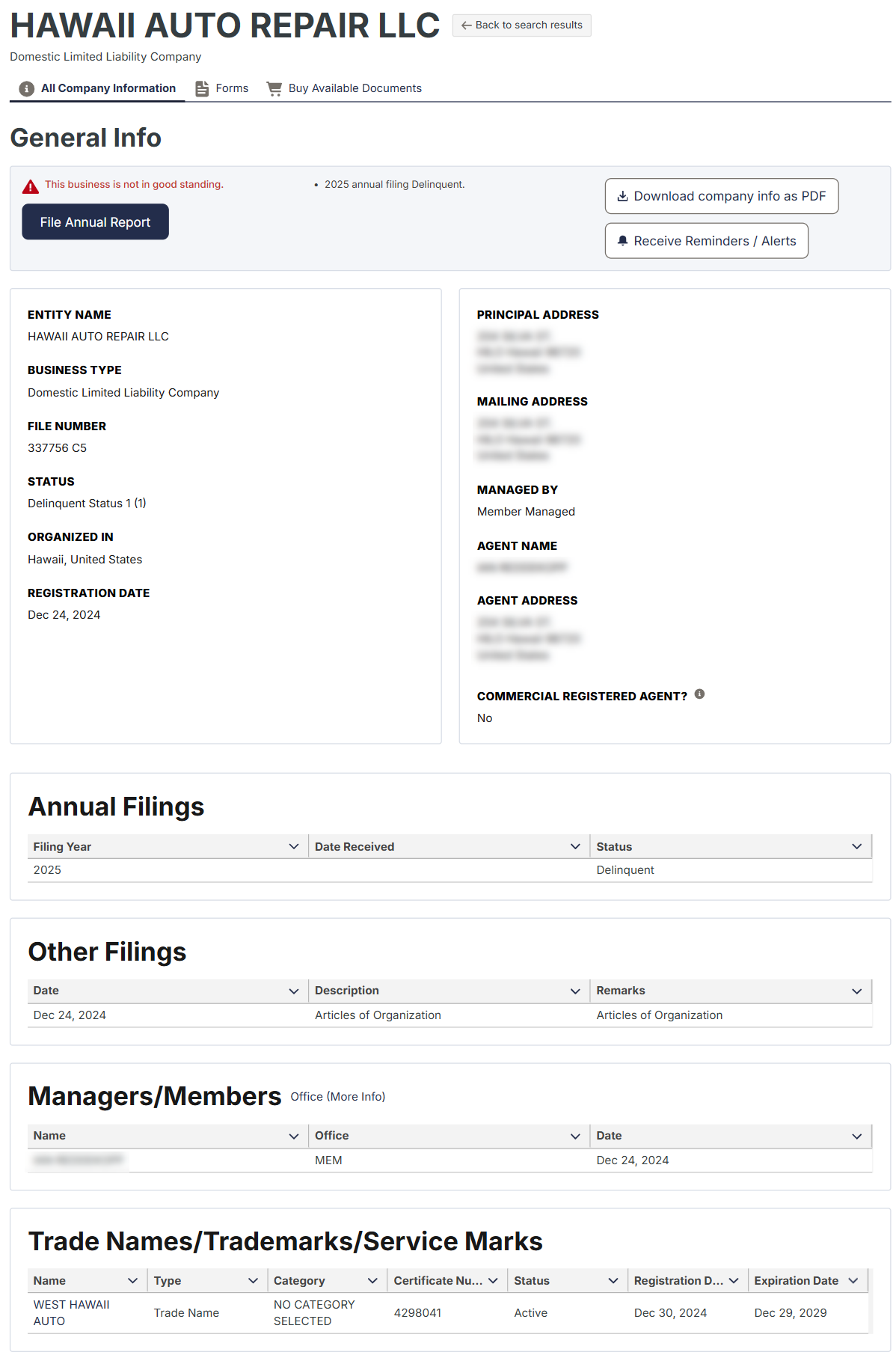
4. View Company Information
After an entity name is selected from the results list, a detailed company report will appear with the following entity information:
- Entity name
- Business type
- File number
- Status
- Place of initial formation/organization
- Registration date
- Principal address
- Mailing address
- Management type
- Agent name and address
- Commercial agent status
- Annual and other filings
- Managers and members
- Trade names, trademarks, service marks
On the same report page, there are links that may be selected to submit paperwork on behalf of the entity, purchase available documents, or file an annual report (see image).