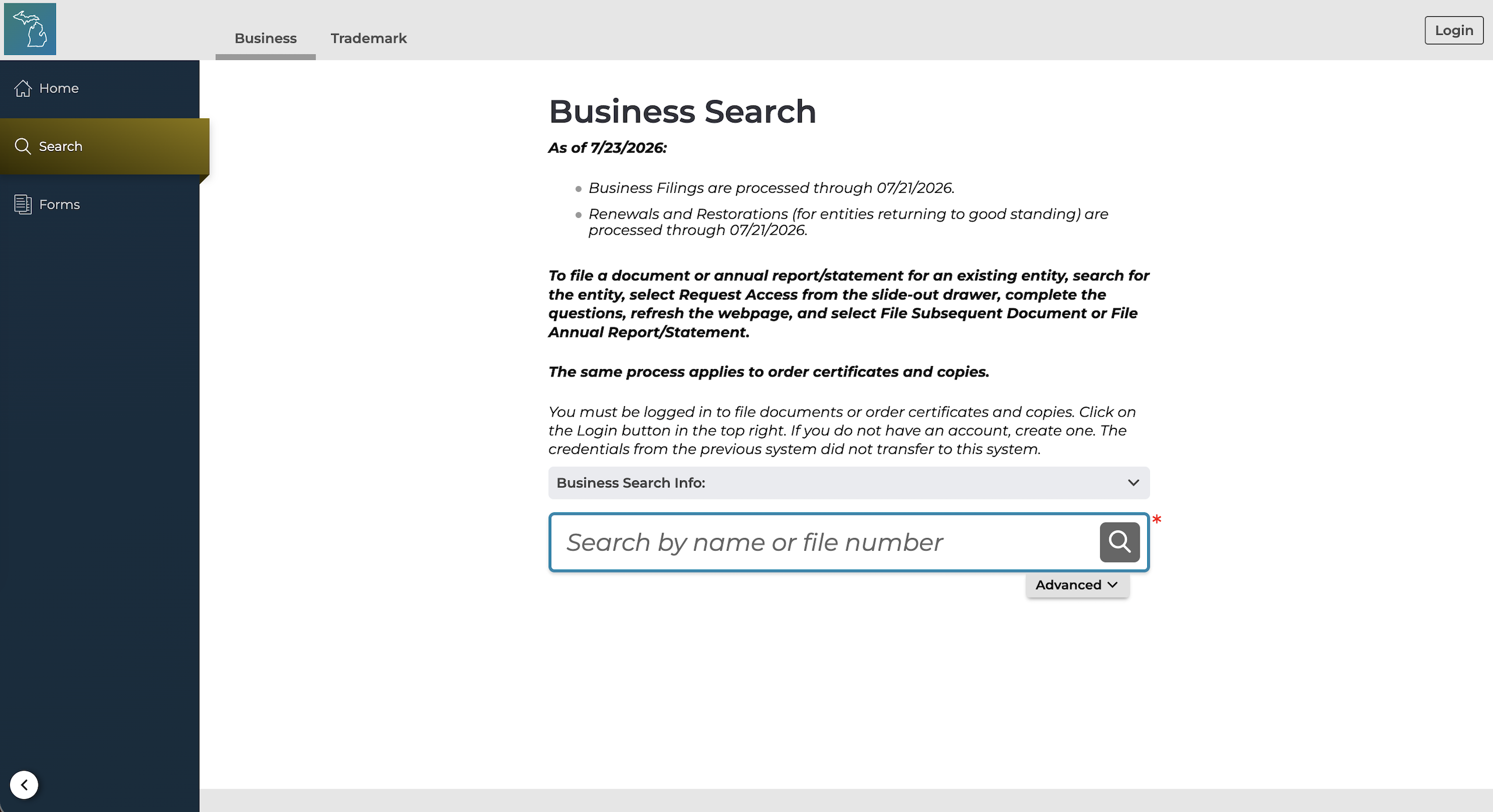
Use the Michigan business entity search on the MiBusiness Registry Portal to look up any recorded entity or investigate whether a chosen company name is available for use. The name availability search can quickly reveal whether a proposed name conflicts with one already on file with the Corporations Division.
Business Entity Search

By searching, you agree to our Terms of Use and Privacy Policy.
Business Entity Search
1. Visit MI Business Search Page
2a. Perform Basic Search
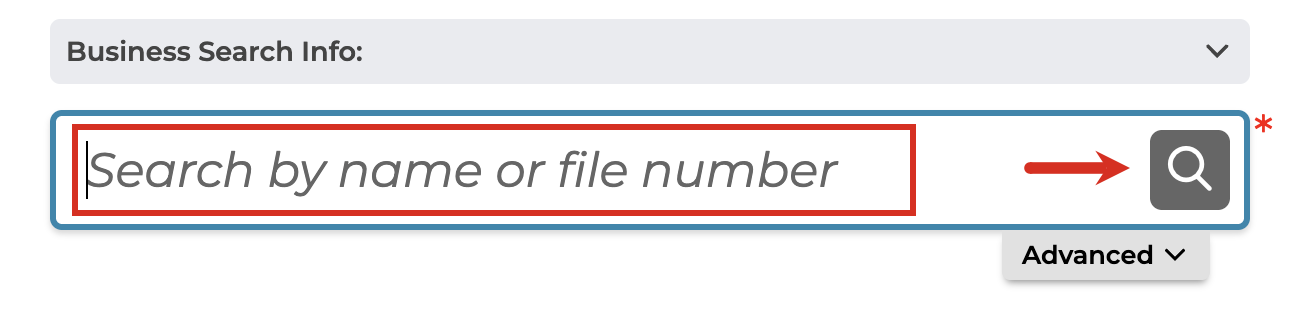
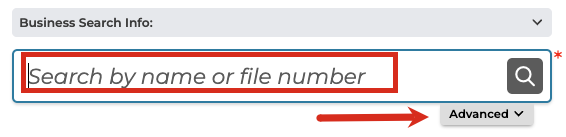
A basic entity search begins with the user entering the name of the business entity or the file number (if known) into the available field and clicking the magnifying glass icon.
2b. Perform Advanced Search
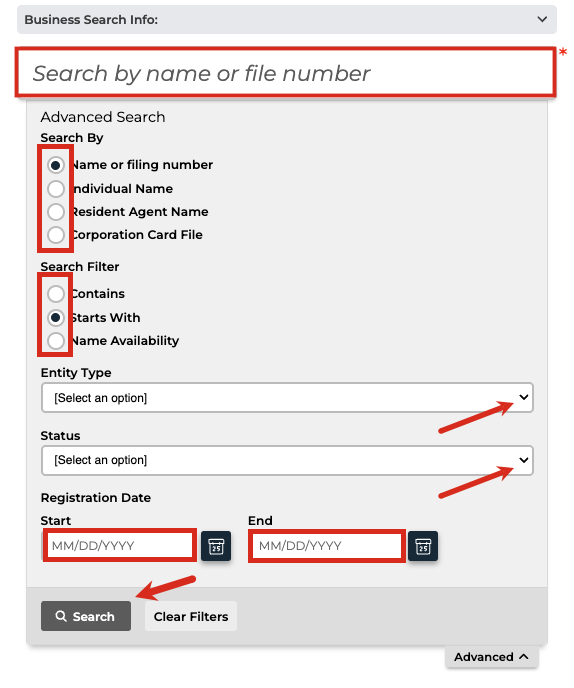
The MiBusiness search portal also provides the option to perform an advanced search to narrow the results. Users must enter or select the following:
Search By:
- Name or filing number
- Individual Name
- Resident Agent Name
- Corporation Card File
Search Filter:
- Contains
- Starts With
- Name Availability (see name availability guide below)
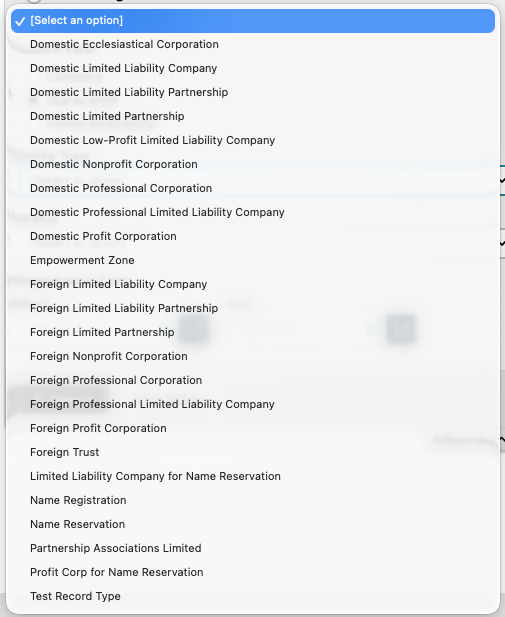
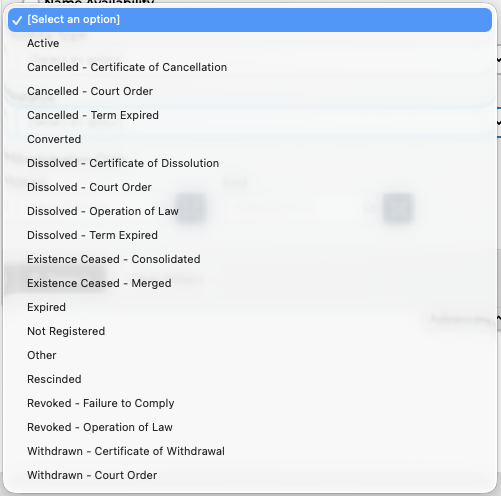
Entity Type (see image), Status (see image) and the Registration Date (start and end) can also be used to shorten the list of results.
3. Review Search Results
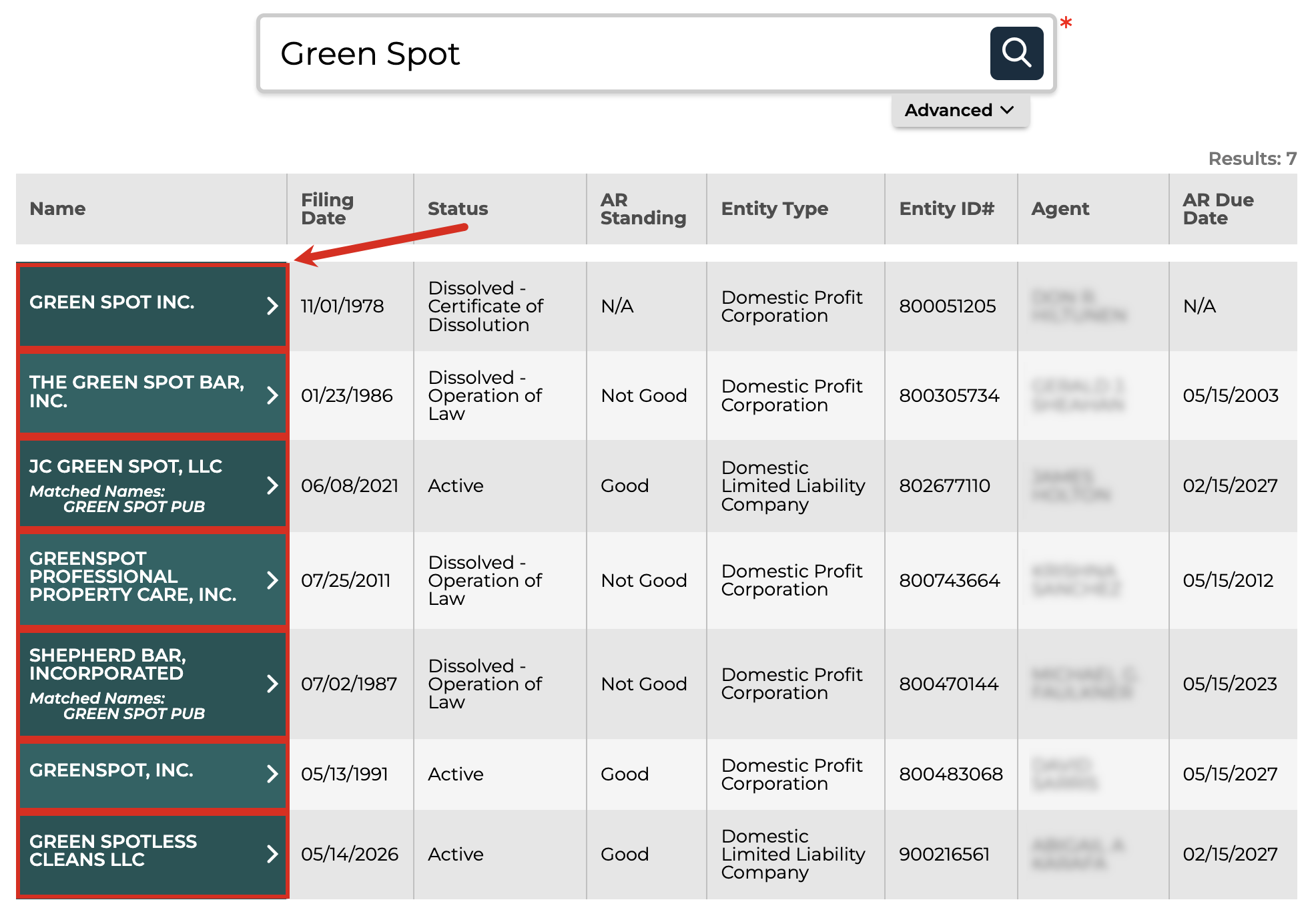
On the same webpage, a list of businesses that match the entered search criteria will appear, including the following info for each:
- Name
- Filing date
- Status
- Annual report standing
- Entity type
- ID #
- Agent name
- Annual report due date
Click any green entity link to view more details about that business.
4. Review Entity Info
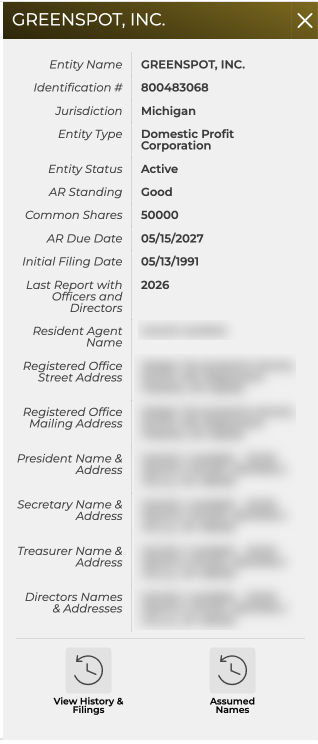
A sidebar will appear on the right of the screen that displays further information:
- Entity name
- ID #
- Jurisdiction
- Entity type
- Status
- Annual report standing
- Number of common shares (if applicable)
- Annual report due date
- Initial filing date
- Last report with officers and directors (corp. only)
- Resident agent name
- Registered office street and mailing addresses
- Corporate officer(s) names and addresses (corp. only)
- Directors names and addresses (corp. only)
- Management type (LLCs only)
Name Availability Search
1. Go to MI Business Search Page
2. Enter Name
Enter the desired entity name into the available field and click the Advanced button.
3. Enter Criteria
Make sure that Name or filing number is selected and under Search Filter select Name Availability. Click Search when ready.
4. Review Search Results
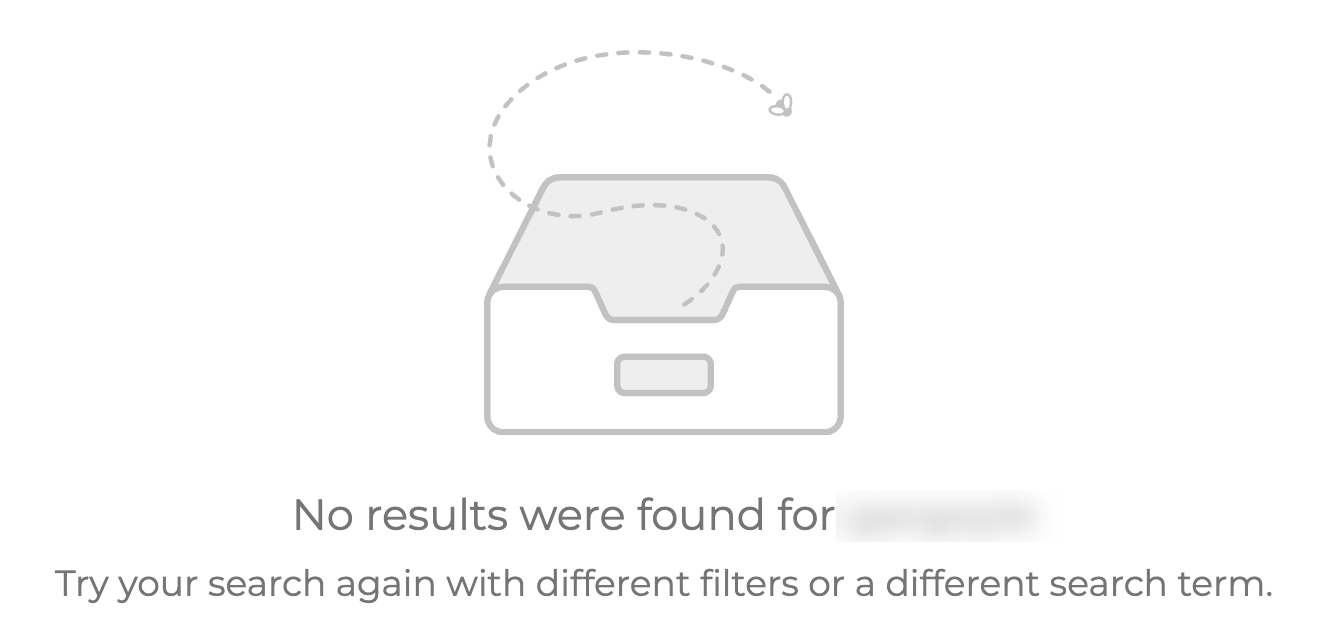
If the page displays the image below, stating that No results were found for X, it’s likely that the name is available for use.
If there are one or more search results (see image), another business name should be selected instead.