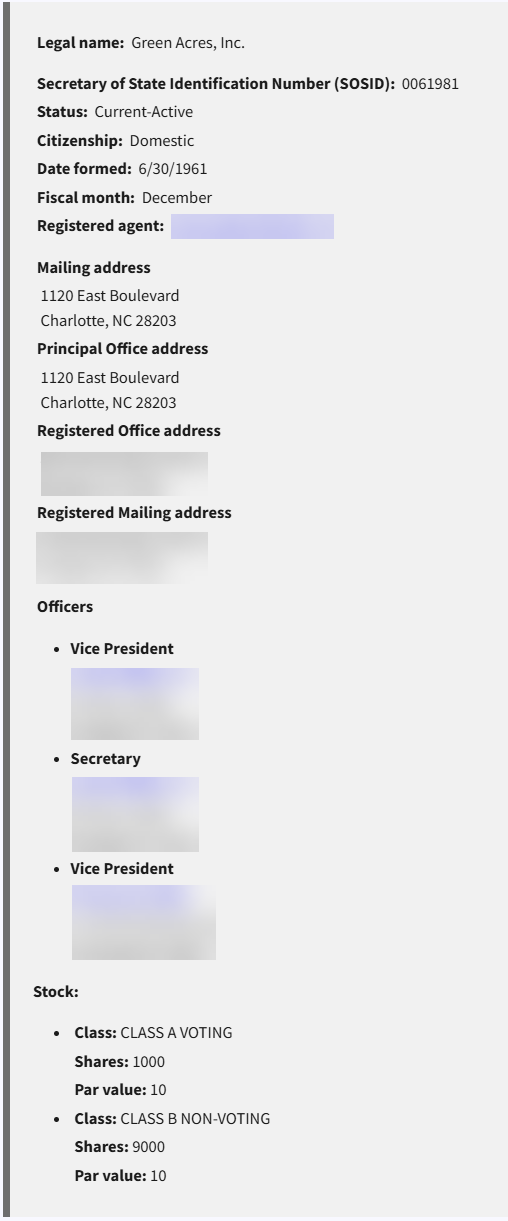
Discover North Carolina business entities through the official business registration system provided by the Secretary of State’s office. The portal enables users to find existing companies and browse their corporate records and filings. The search function also helps determine whether a name is available before a new entity begins the registration process.
Business Entity Search

By searching, you agree to our Terms of Use and Privacy Policy.
Business Entity Search
1. Navigate to the Business Registration Webpage
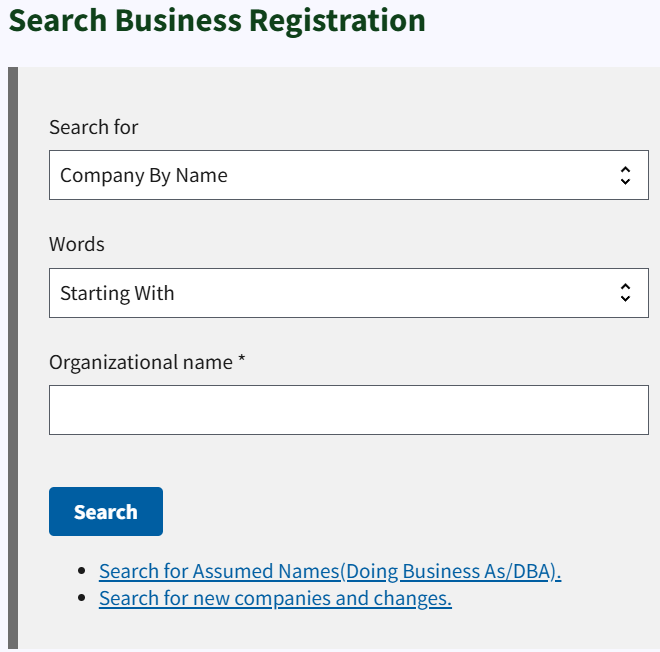
2. Search for Business Names
If the purpose of the search is to determine the availability of a new entity name, select Company By Name from the first drop down menu, choose Exact Match from the Words dropdown menu, enter a business name, and click Search.
A search can be also be carried out by providing a company ID number or the name of an official or registered agent.
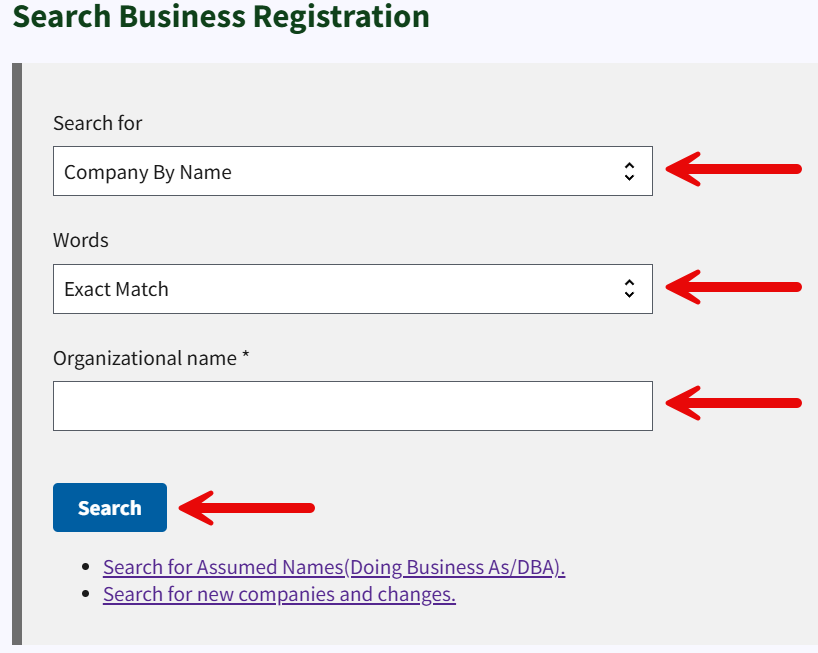
3. Examine Results
No Records: If the business name provided yields zero results, it could mean that the name is available (see image). However, the name must pass statutory requirements and SOS approval to reserve it or to register a new business.
Records Found: Any registered entities that match the business name provided will be listed in the results page along with their ID number, status, and business structure. Click on an entity to open up links for additional business information and filings.
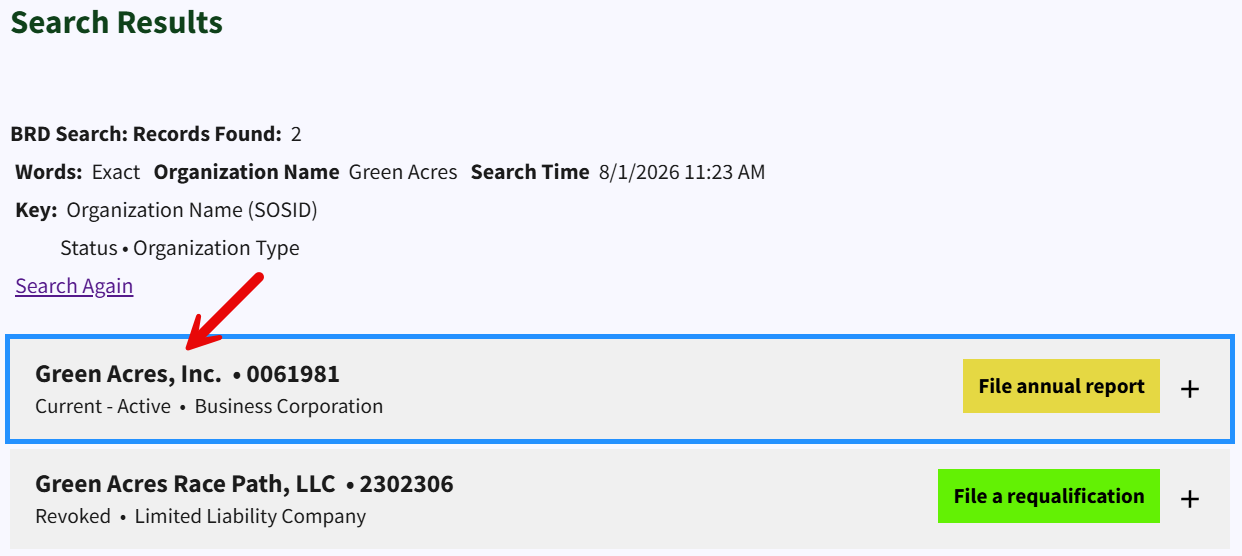
4. View More Information
Select More information (see image) to view the following company details:
- Legal name
- ID number
- Status
- Citizenship
- Formation date
- Fiscal month
- Registered agent
- Associated addresses
- Names and addresses of officers/managers/officials
- Stock information (if applicable)
At the top of the page, click on Order a Document Online or View Filings to browse the entity’s corporate records (see image).