Search for Indiana business entities using the Secretary of State’s INBiz online platform. The search portal allows the public to review registration details and download filed documents for businesses on record with the state. INBiz also offers a separate tool for confirming business name availability before registration.
Business Entity Search

By searching, you agree to our Terms of Use and Privacy Policy.
Business Entity Search
1. Visit the INBiz Search Page
2. Enter Business Details
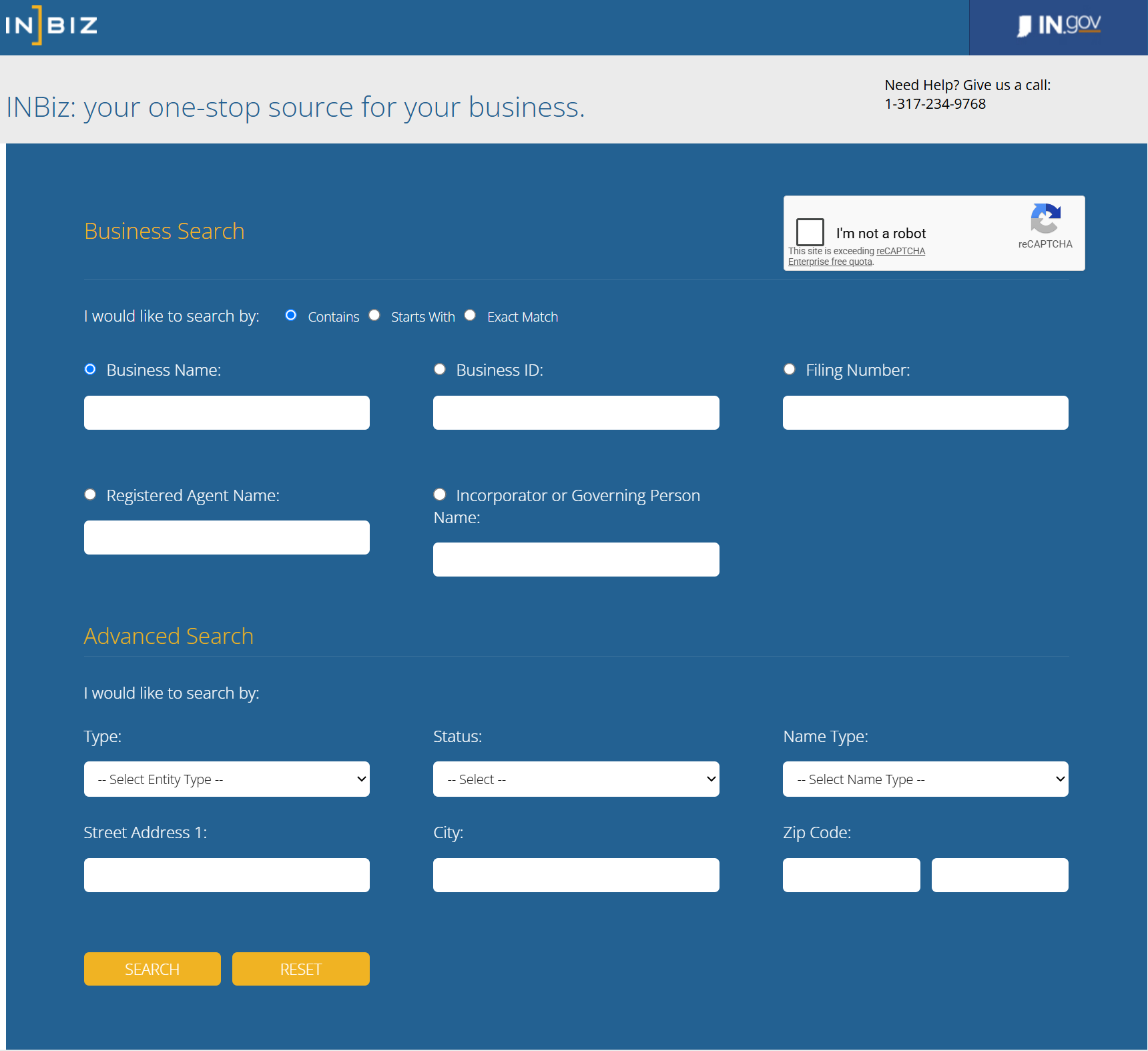
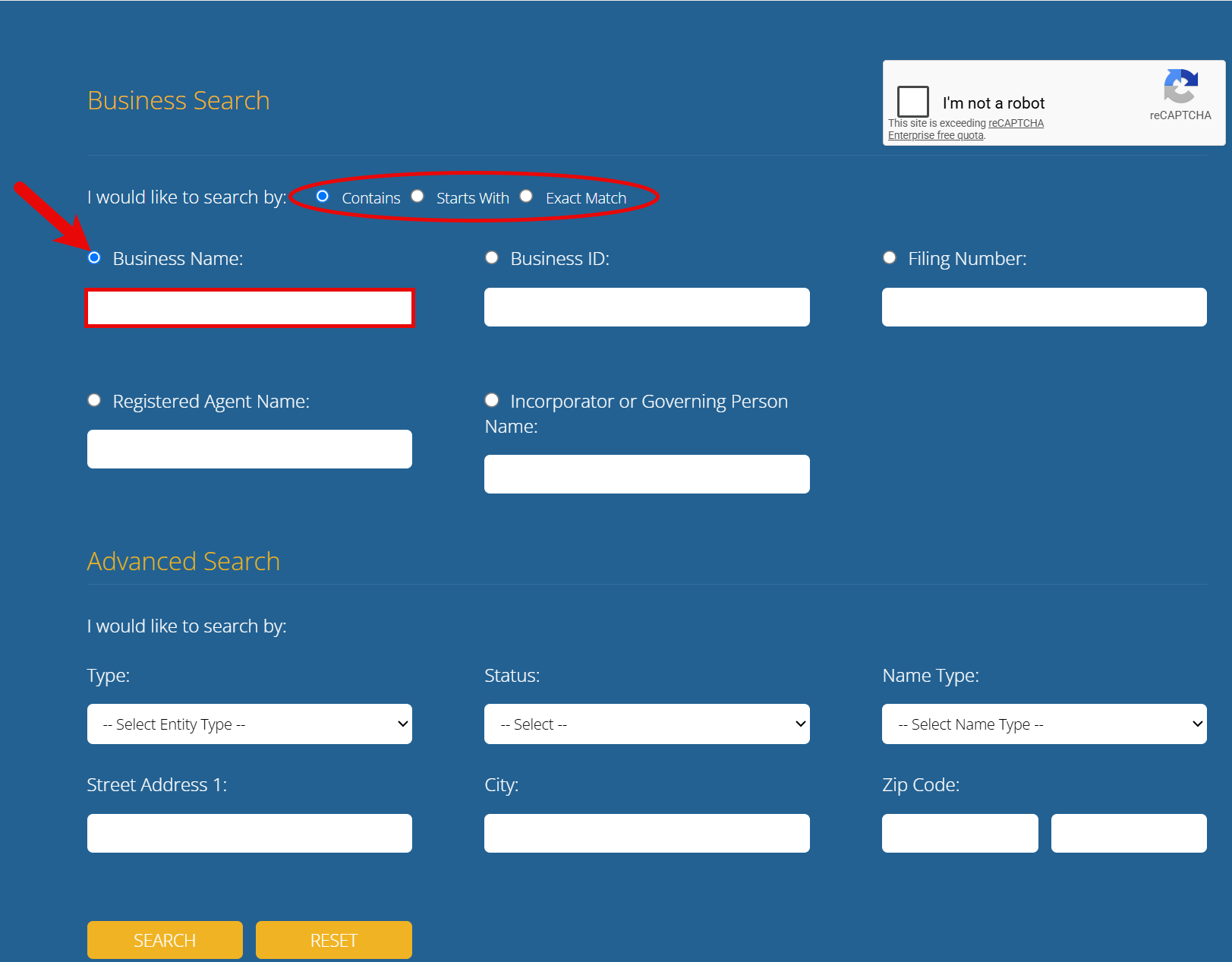
Use the Business Name field to enter an entity name, then choose Contains, Starts With, or Exact Match to control how the name is matched against entities in the database.
Alternatively, enter any one of the following business details in the corresponding field:
- Business ID
- Filing Number
- Registered Agent Name
- Incorporator or Governing Person Name
3. Apply Advanced Search Filters
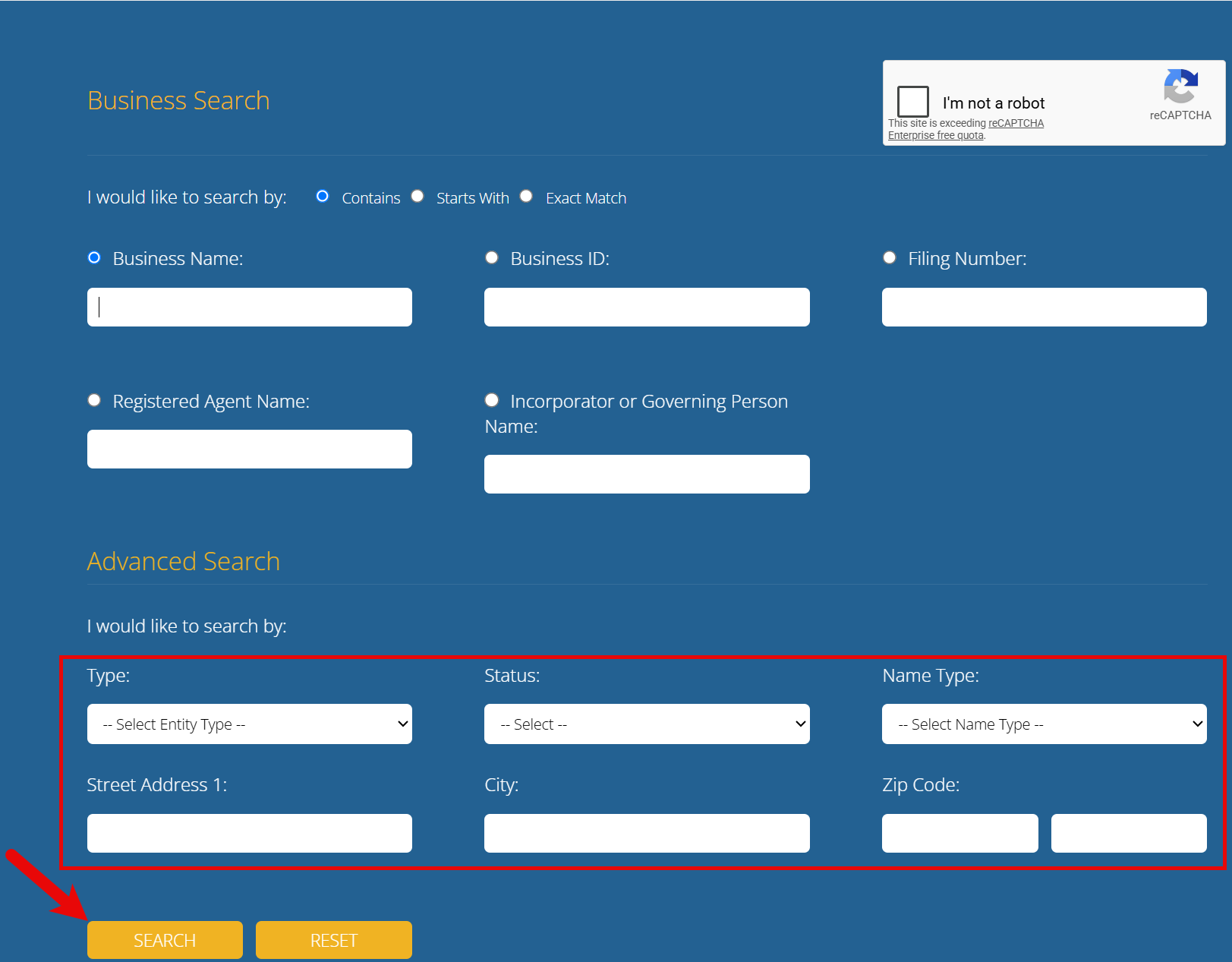
Locate the Advanced Search options and apply any filters that might help refine the results. The following choices are available:
- Type
- Status
- Name Type
- Street Address
- City
- Zip Code
To view the results, select the security checkbox in the upper-right corner (see image), then click SEARCH.
4. Check the List of Entities
Entities found through the INBiz search will be listed on the next page. To learn more about a particular entity, click the Business ID number next to its name.
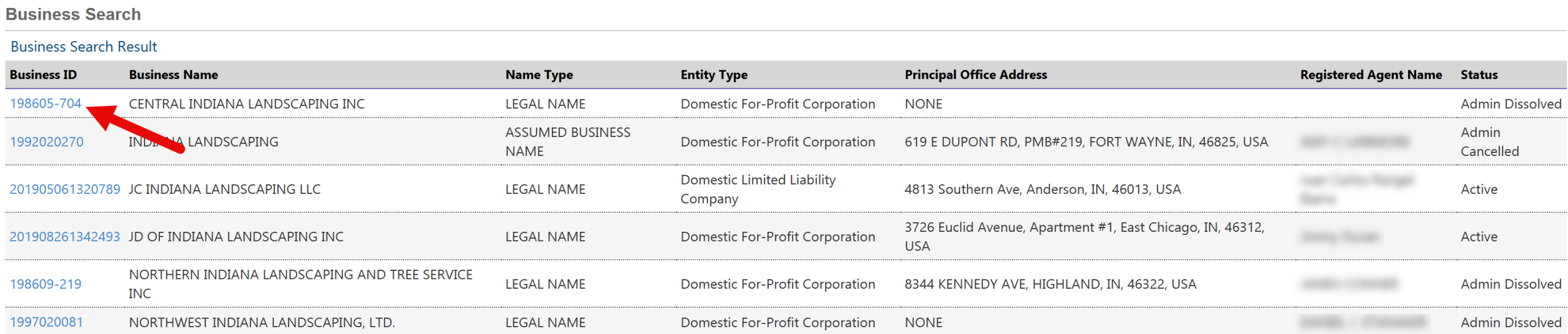
5. View More Business Details
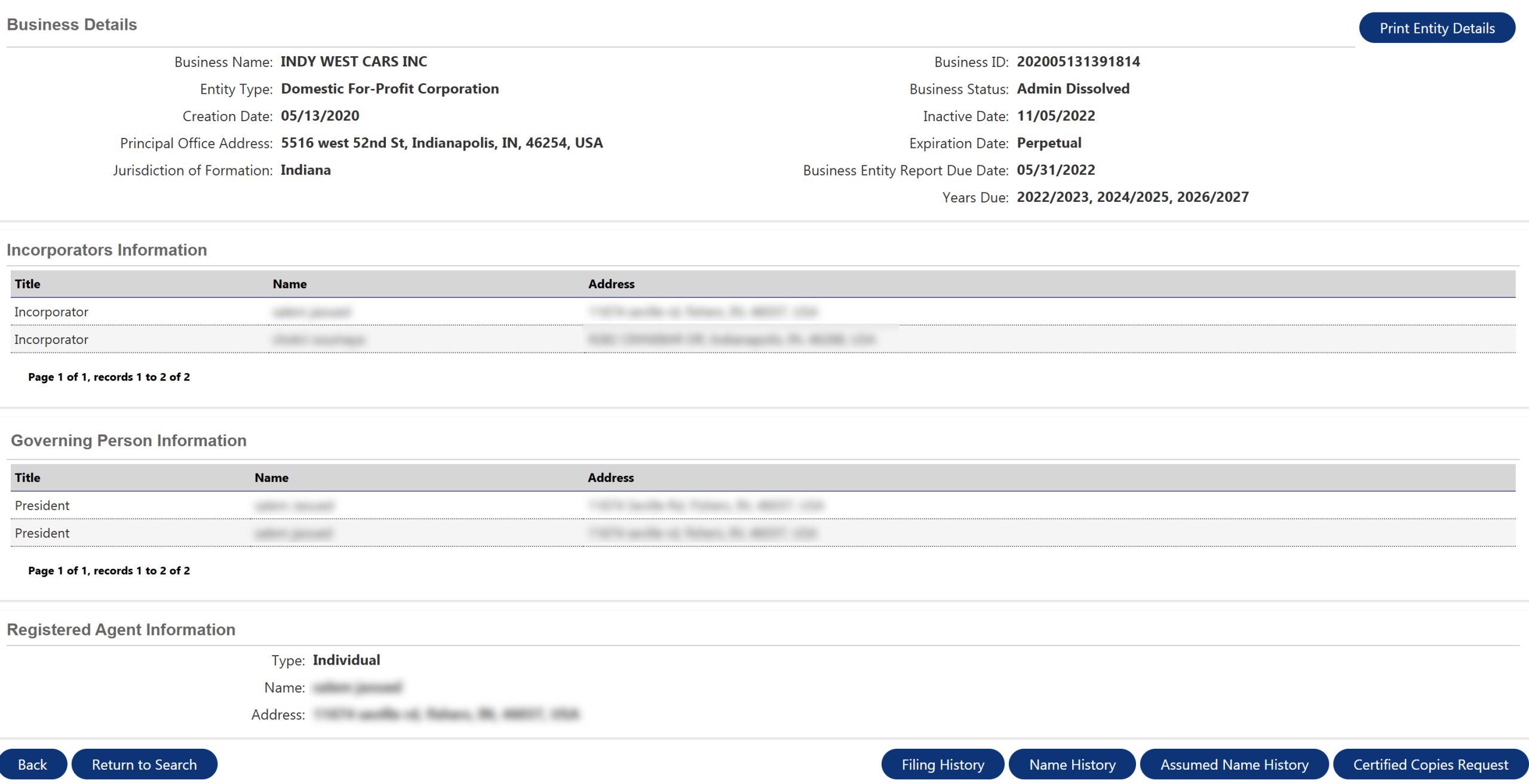
Once the details page loads, the following information will be available for the chosen entity:
- Business name
- Entity type
- Creation date
- Principal office address
- Jurisdiction of formation
- Business ID number
- Business status
- Inactive date (if applicable)
- Expiration date
- Business entity report due date
- Years due
- Incorporator information
- Governing person information
- Registered agent information
Use the buttons below the entity information to review its filing, name, or assumed name history, or to request certified copies of business documents (see image).